
For clients
Today's session. Logged in two taps.
Your trainer writes the plan. You open the app, see what's prescribed, and log what actually happened.
Today
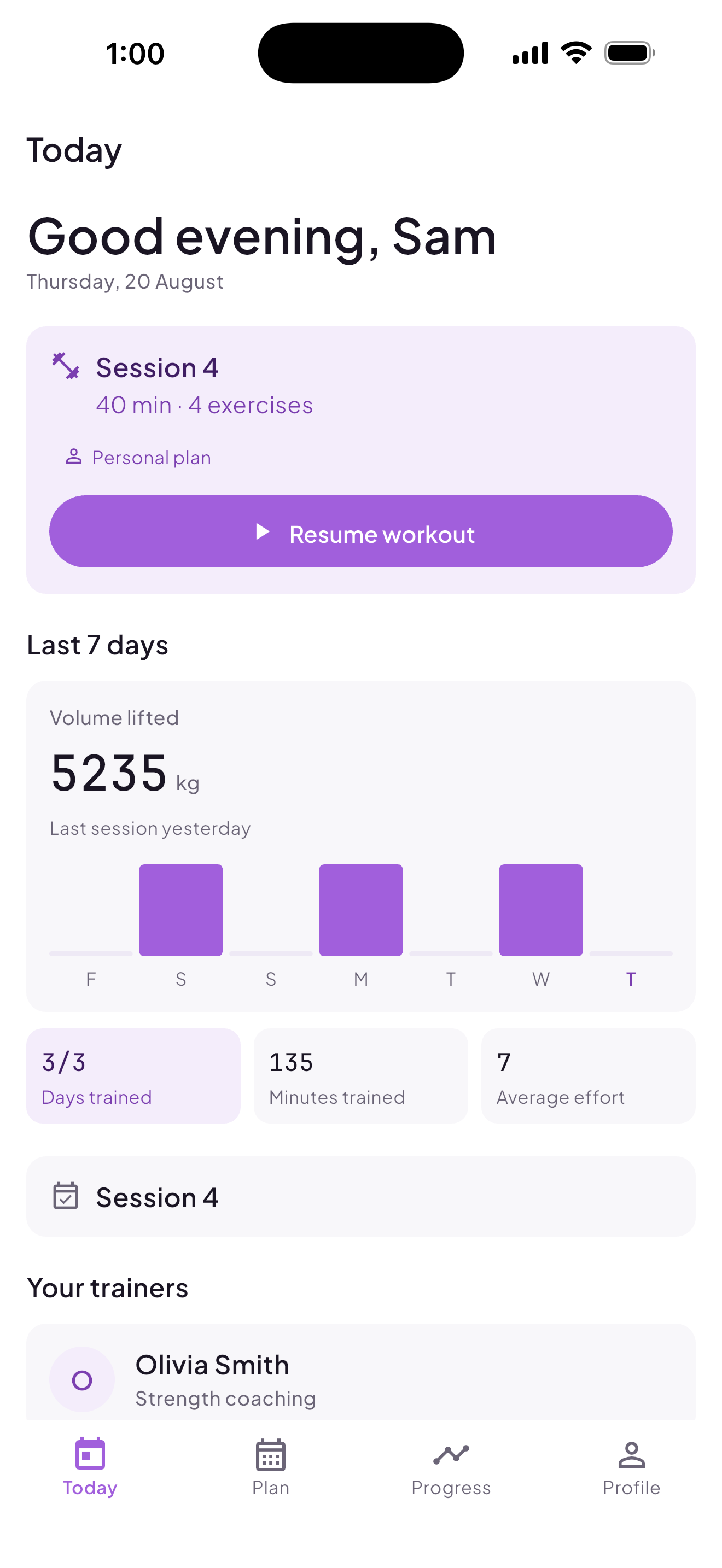
Open the app and today's session is already there.
- Today's prescribed session, surfaced on open, with session number, title and estimated duration
- Rest days stated plainly; recovery is part of the plan, not an empty screen
- Resume an unfinished session; nothing gets duplicated
- Last-7-days strip: days trained, sessions logged, volume lifted, minutes trained, average effort
The workout player
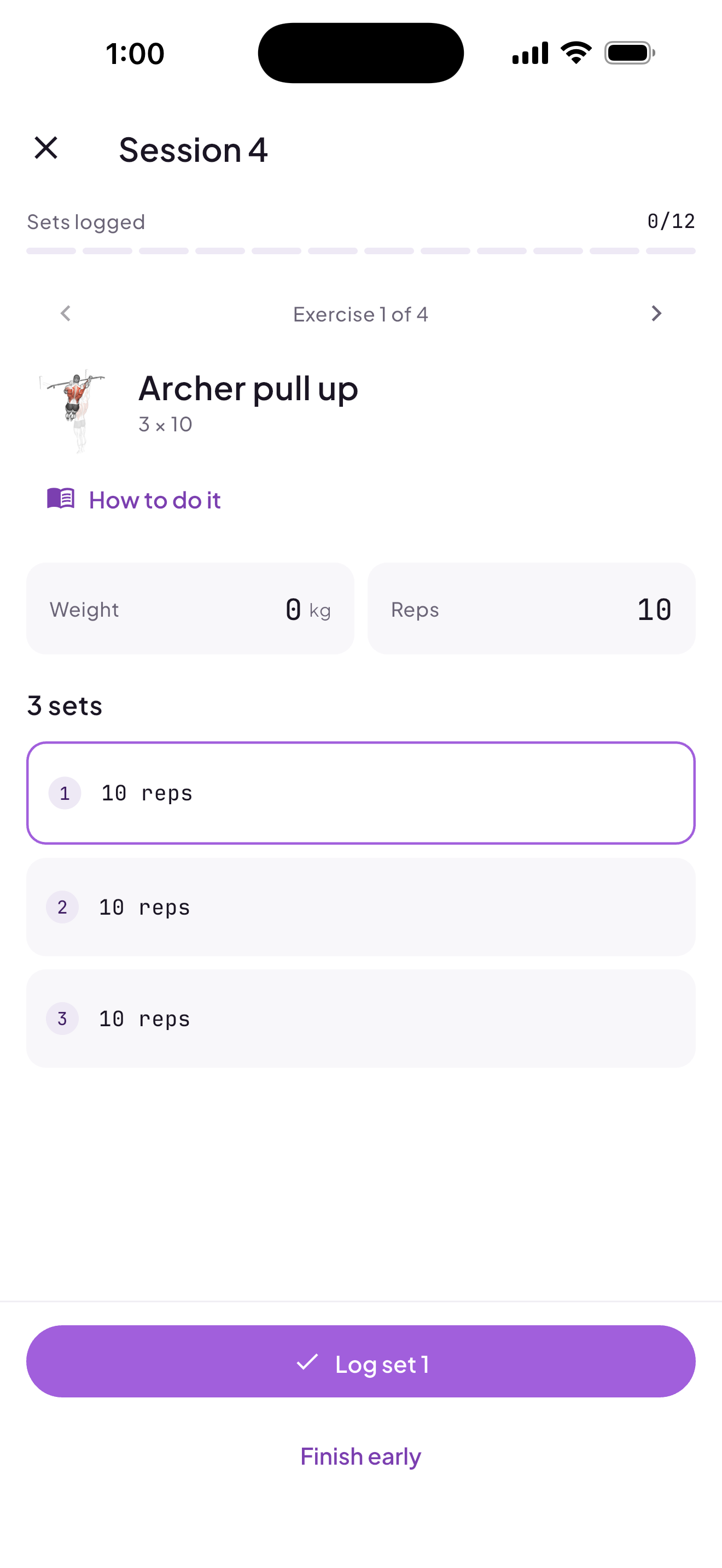
Two taps to log a set. Built for use mid-set, sweat on the phone.
- Weight and reps as steppers, with prescribed values pre-filled
- Prescribed vs. logged shown side by side
- Warm-up, cool-down, and supersets marked clearly
- Trainer notes and "how to do it" instructions shown inline
- Skip a set, finish early, or leave a session for later, all recorded honestly
Progress
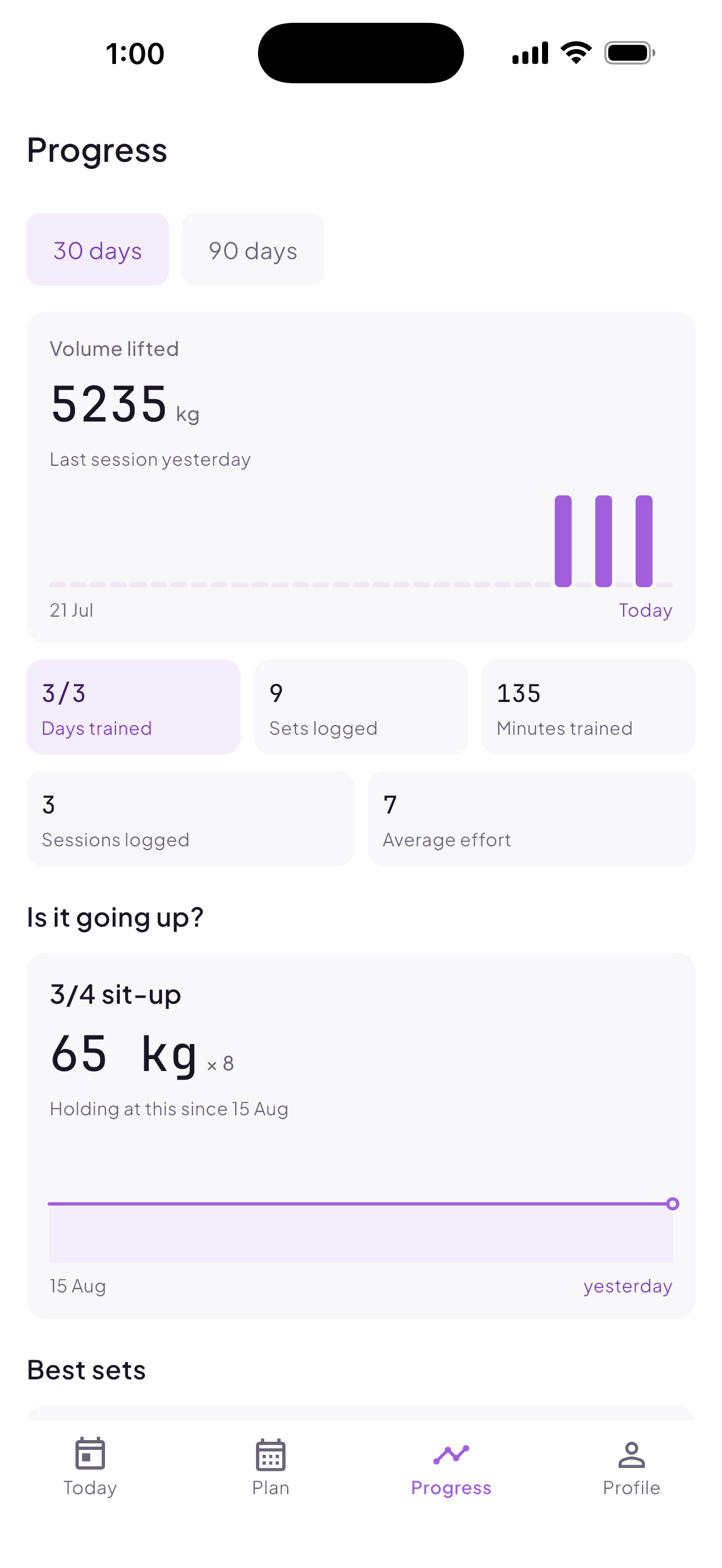
One question, answered clearly: is it going up?
- Volume by day or week
- Per-exercise top set over time, with a "holding at this since <date>" read when a number stops moving
- Best sets, sets logged, and recent sessions, including ones ended early
Trainers & groups
Join with a code. No approval loop.
- Join a trainer by entering the code they share
- Multiple trainers supported at once; remove any of them
- Group membership shown with group name, coach, and member count
- Adherence counts days trained, not sessions: a personal plan and a group class on the same day isn't marked down for either
Getting started
- 1
Sign up in the app.
- 2
Enter the code your trainer gave you.
- 3
Today's session appears. Start it, log your sets, finish.
Get the app
Ask your trainer for your join code.
Download the app, then enter the code your trainer shares with you.